Follow these steps in order. Screens may look slightly different depending on your account settings.
Real-time overview on the dashboard
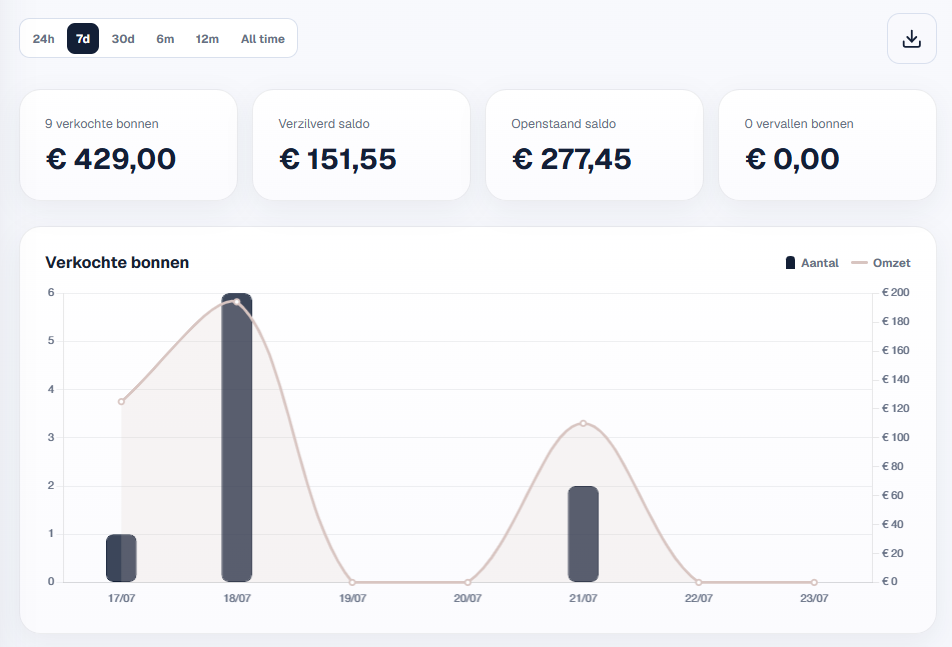
Open the dashboard and select the period you want to view. You will see an overview of all key figures for that period, including the number of outstanding and expired gift cards. Using the download button, available on selected plans, you can download the data for the selected period.
Gift card overview
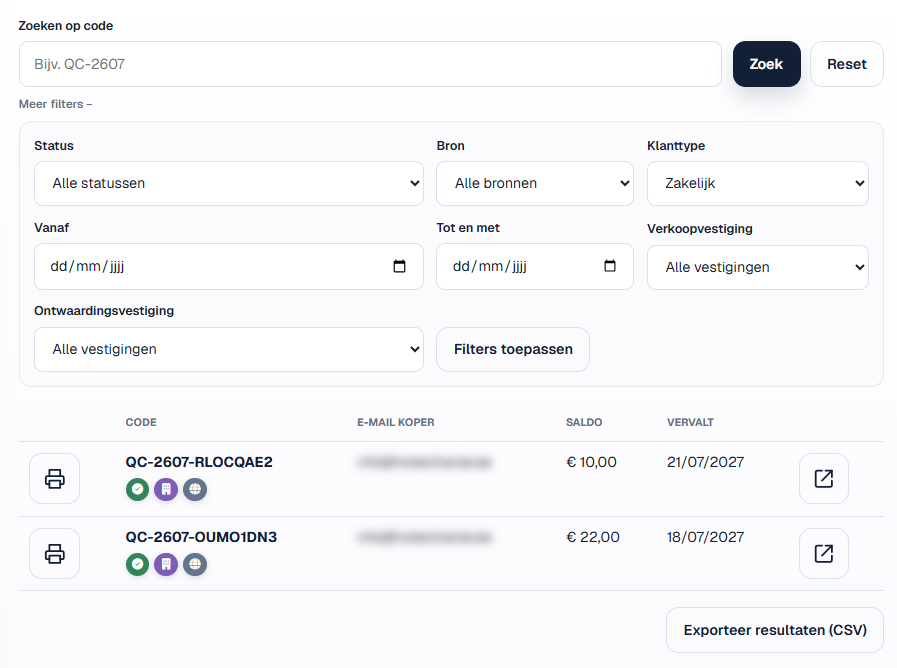
Here you can apply detailed filters across several fields, such as purchase type, sales channel and dates, then view the matching gift cards. At the bottom, you can export the selection for use in other programs; this feature is available on selected plans. Custom exports are available on request.