
Follow these steps in order. Screens may look slightly different depending on your account settings.
Open the gift card, choose the amount and confirm
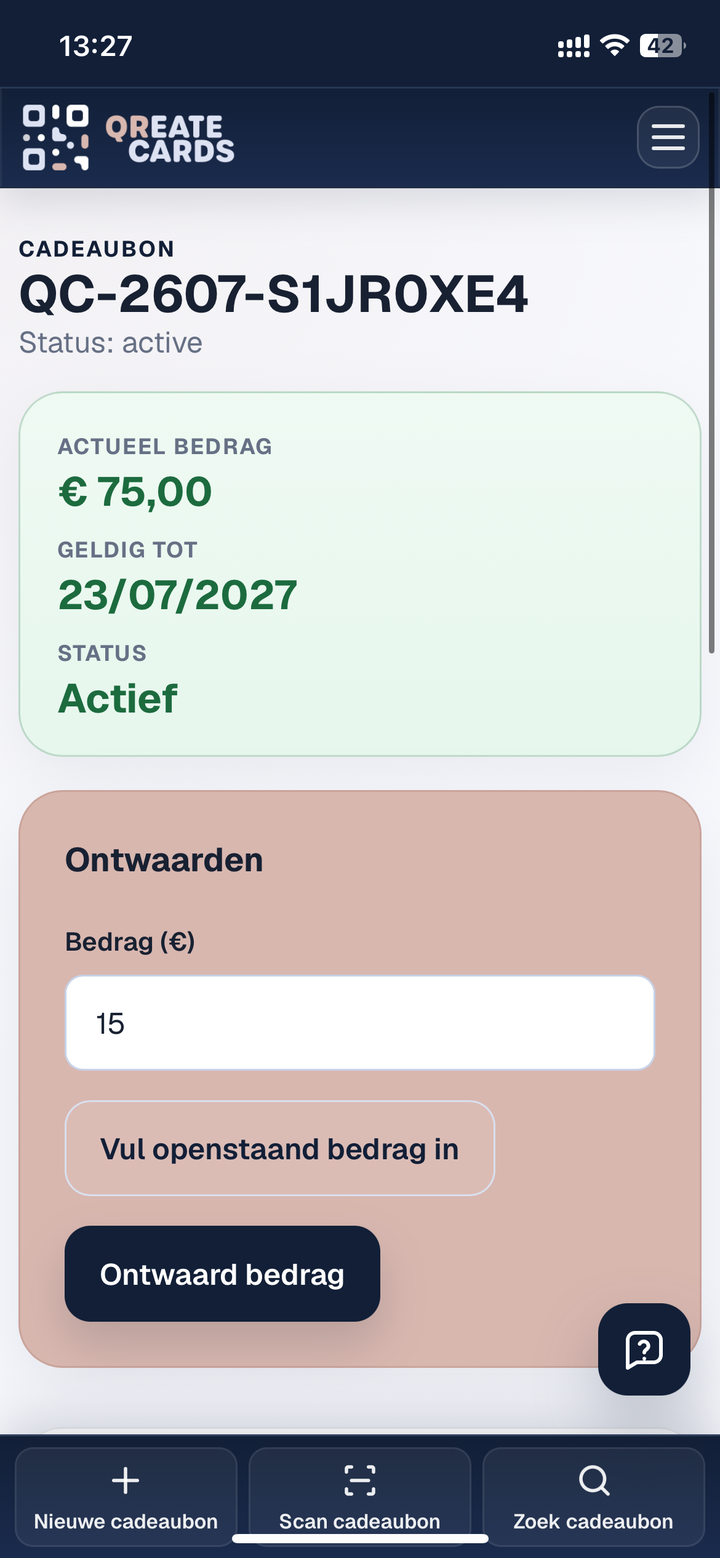
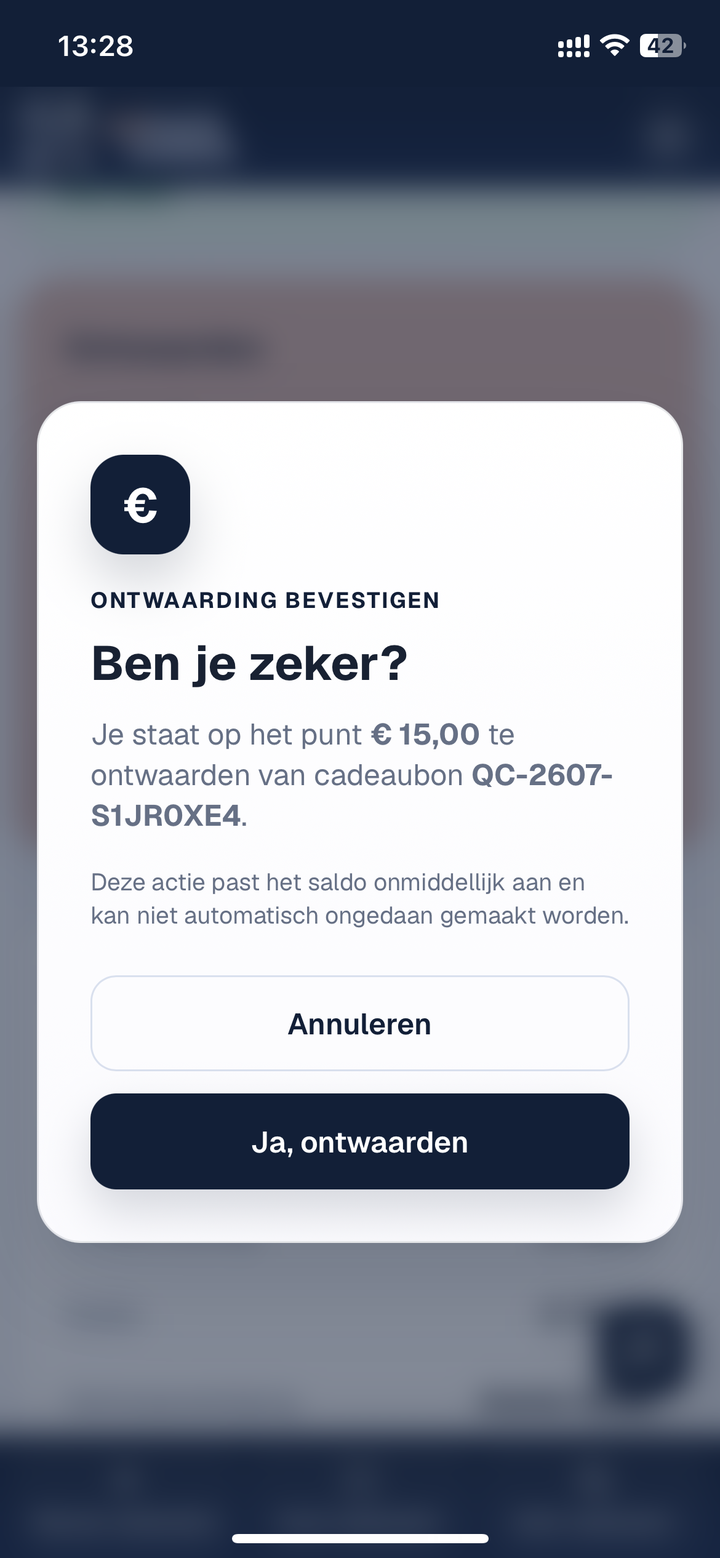
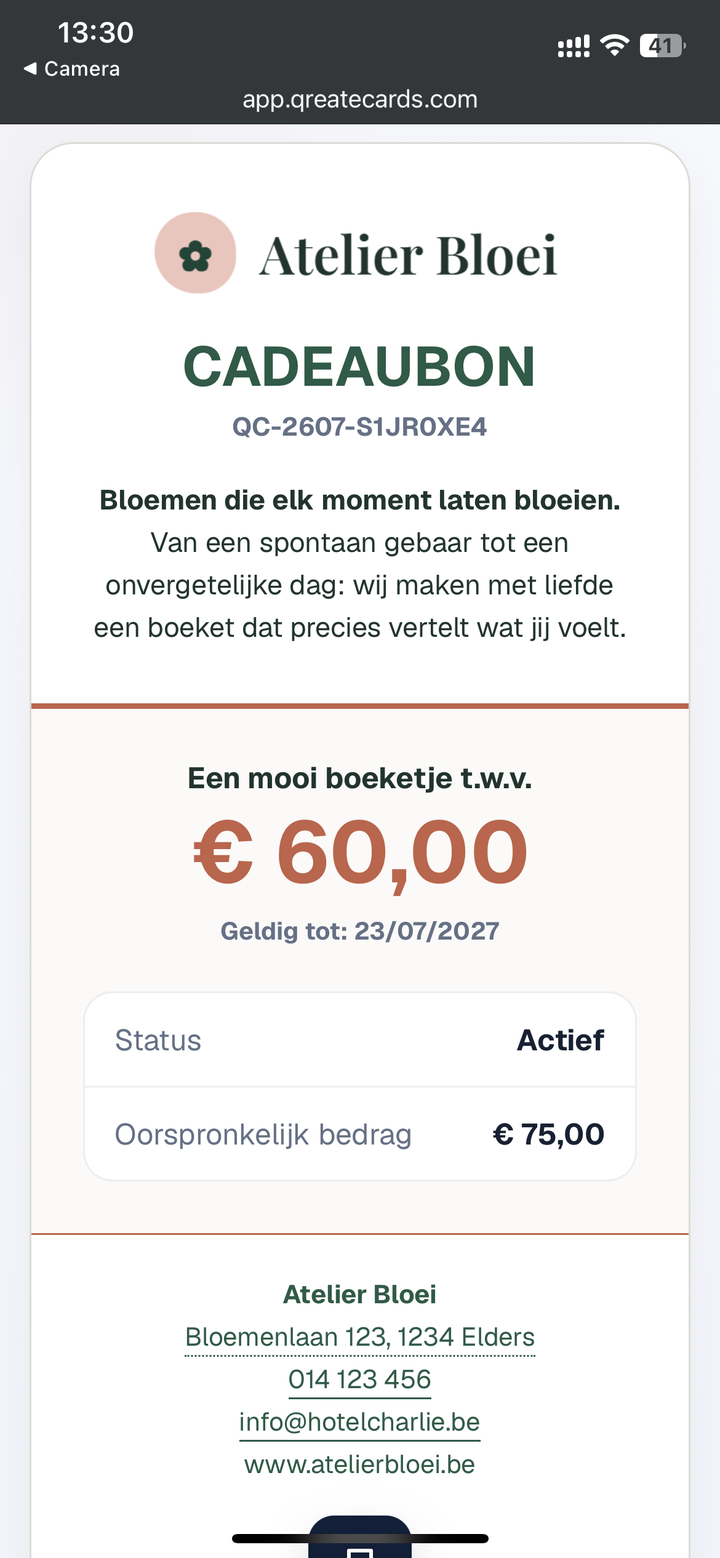
Scan the QR code on the gift card with your smartphone camera or in the QReateCards app, or find the gift card by entering part of its code in the dashboard on your computer. If you scan with your smartphone camera without being logged in, you will see the current status of the gift card as the customer sees it. Then log in to view more details and redeem it. Enter the amount to redeem, or use the full outstanding amount, check it and confirm your choice.
Check the updated balance
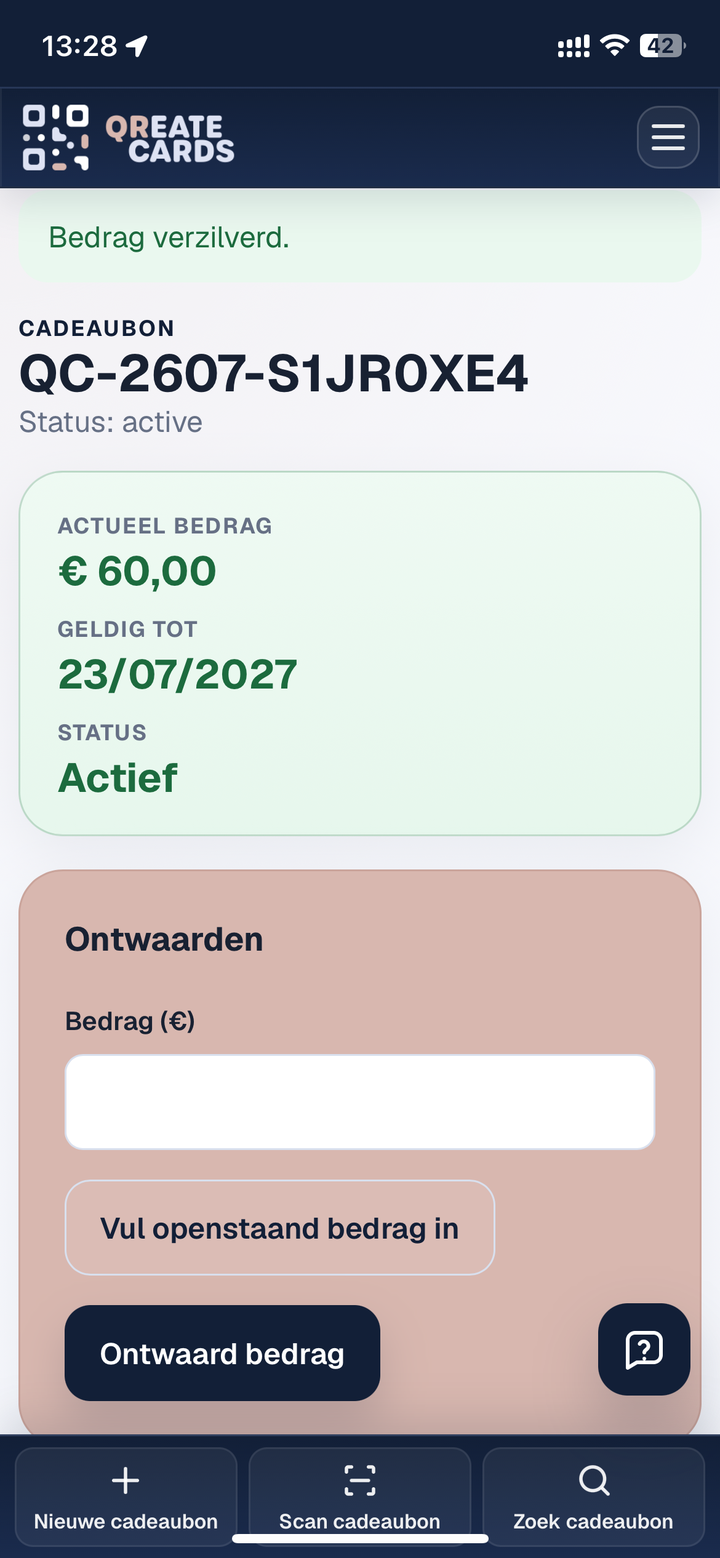
The gift card is redeemed in full or in part, and the available balance is updated immediately. The customer also sees this current balance when opening the gift card.
View the history
You can always view the complete transaction history for each gift card. When you reopen the gift card in the platform or send it by email, it will always show the current balance.
